0

Play Now

Click to Copy IP

Not sure about this

Not sure about this

poke

New member
ForsakenX
ForsakenX
Well I was recently playing with a new player in server and wanted to help him out wee he built something out of the ordinary

I am not sure if this allowed so I had to take some screen shot well comment down if you think this is allowed in server or not
to me he seems like a nice person but this think he built was kinda sus If I am say so my self

Vote) (staff) (Side Notes)

What the staff should do to him

Let him go?
Or
Punish him?


Last edited:
To take a screenshot, press the F2 key. Sometimes, on some laptops, it may not work; try Fn + F2. Once you have taken a screenshot (the screenshot message will pop up in chat, press Win key + R, type %appdata% and navigate to .minecraft/Screenshots . Once there find the latest screenshot, select it and drag it to the browser window you have forums open on, then on the message box. Release, wait for the upload to be completed (the image will not be half transparent, but it'll be fully opaque. Once you've done this, press on the "post reply" button. If you wish you can directly go to https://invadedlands.net/forums/player-reports.18/ , click on "create report", add IGN of the person you want to report, coords of their build, and screenshots of their crimes.
 
To take a screenshot, press the F2 key. Sometimes, on some laptops, it may not work; try Fn + F2. Once you have taken a screenshot (the screenshot message will pop up in chat, press Win key + R, type %appdata% and navigate to .minecraft/Screenshots . Once there find the latest screenshot, select it and drag it to the browser window you have forums open on, then on the message box. Release, wait for the upload to be completed (the image will not be half transparent, but it'll be fully opaque. Once you've done this, press on the "post reply" button. If you wish you can directly go to https://invadedlands.net/forums/player-reports.18/ , click on "create report", add IGN of the person you want to report, coords of their build, and screenshots of their crimes.
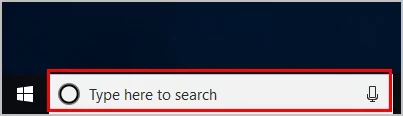
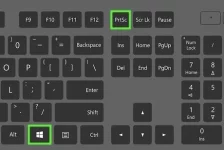
On laptop theres a specific screenshot key sometimes... it is the PrtSc key. Then just go into your photos by pressing the "Type here to search" bar, and typing "photos" Edit the photo from their, and then save. After that go to forums press the picture and hit drop image!
5CE49501-6D0D-4157-B8EC-539D45FBC1F3.webp
6804CD24-B06E-403D-9E9E-06DF3A453A85.webp
 
On laptop theres a specific screenshot key sometimes... it is the PrtSc key. Then just go into your photos by pressing the "Type here to search" bar, and typing "photos" Edit the photo from their, and then save. After that go to forums press the picture and hit drop image!
View attachment 26141
View attachment 26142
there is also windows 11, I think it is the same also what is up with the windows key placement
 
On laptop theres a specific screenshot key sometimes... it is the PrtSc key. Then just go into your photos by pressing the "Type here to search" bar, and typing "photos" Edit the photo from their, and then save. After that go to forums press the picture and hit drop image!
View attachment 26141
View attachment 26142
That takes a screenshot of the whole screen. I was merely talking about Minecraft screenshots. For any type of screenshot there is also the snipping tool.
 
Survival
Back