Ok so I got a new monitor and I thought it would be good but it was trash. I spent 4 hours trying to make it look good with the NVIDIA 3D settings. after coming the the conclusion it just sucked, I put my old monitor back up. I instantly noticed any problems, I messed up my old setting so much, I have no idea what they where before, so i got some really wired bugs

random thin lines over text

messed up pixels, can fricken see the sheared stage though the wool

more random lines over text.
I have a GeForce GTX 1050 Ti, (ik its bad I am getting better one one day).
my monitor of choice is the DELL P190S
I have almost done everything, and this glitch happens when the the 3D image settings is on the best quality. witch is ironic considering its supposed to fix that shit. when on the lower quality it has none of these bugs, but looks trash obviously.
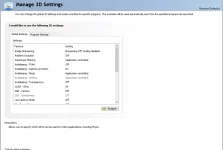
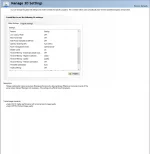
If anyone wants to send me there settings right click on your desktop and click NVIDIA control panel and go to the second row and click print screen button. make sure you scroll down and get all setting if you are helping.
If you could help it would mean so much you don't know how financially and mentally bad this was for me. my eyesight is all fricked up from the monitor from the blur.
random thin lines over text
messed up pixels, can fricken see the sheared stage though the wool
more random lines over text.
I have a GeForce GTX 1050 Ti, (ik its bad I am getting better one one day).
my monitor of choice is the DELL P190S
I have almost done everything, and this glitch happens when the the 3D image settings is on the best quality. witch is ironic considering its supposed to fix that shit. when on the lower quality it has none of these bugs, but looks trash obviously.
If anyone wants to send me there settings right click on your desktop and click NVIDIA control panel and go to the second row and click print screen button. make sure you scroll down and get all setting if you are helping.
If you could help it would mean so much you don't know how financially and mentally bad this was for me. my eyesight is all fricked up from the monitor from the blur.