

You are using an out of date browser. It may not display this or other websites correctly.
You should upgrade or use an alternative browser.
You should upgrade or use an alternative browser.
so a bit of help.
- Thread starter NuclearNutz
- Start date
so a bit of help.
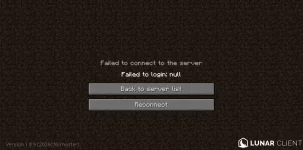

Try turning off lunar client completely, even the laucher, and starting it again. Then sign out and relog into your account on Lunar client. Then proceed to try. If it still doesn't work, try with the Mojang launcher that is not associated with lunar client.yyeah can someone help this keeps happening when i try joining a server
Best regards, your man!
ive tried
yyeah can someone help this keeps happening when i try joining a server
SO A BIT OF HELP.
InvadedlandsJanuary 6 2022
VCGAMING
Dear VCGAMING
I have experienced this issue myself and it usually happens when you use a VPN, the best fix is to restart you're computer. if this does not work you can clear the DNS catch using CMD. Type the following command: ipconfig /flushdns and hit Enter. This will flush the DNS cache on Windows 10 or 11 computer.
Sincerely Make Those Moves
As people have said above restart your computer, turn off lunar client, and try the normal launcher if it still says you are logged in re-set your password immediately.ive tried
Credentials cannot be retrieved when you are using a VPN.
I have tried all of this - i do not even use a VPN.
Share:
Off Topic